Xiaomi • Redmi • POCO • HyperOS & MIUI

Xiaomi, Redmi & POCO FRP Removal

Remove Google Factory Reset Protection (FRP) locks on supported Xiaomi, Redmi and POCO devices via Mi Assistant (Sideload) and Fastboot mode. Verify live server availability, HyperOS or MIUI compatibility, and exact credit requirements using our Web FRP browser workspace or the Windows service tool.

Use only on devices you own or are authorized to service.

How can Xiaomi FRP be removed in Mi Assistant mode? →

Demo — interface simulation only. No device is connected and no real operation is performed.

XiaomiFRP Tool Icon
XiaomiFRP.comWindows Service Tool
Server Online Device Connected USB
Welcome to XiaomiFRP

Professional Xiaomi service workspace for Windows.

DEMO
Device status Waiting for device... USB / Fastboot / Recovery detection
Searching
Quick Services — click a card to start
Ready0%
Detected Initializing Processing Completed
Live Loglive activity
Hardware Database

Xiaomi, Redmi & POCO Chipset & Codename Directory

Search Xiaomi, Redmi and POCO hardware profiles by model name, SoC chipset or internal codename, then launch XiaomiFRP Tool with the verified service path for that device.

Browse all supported devices →
XiaomiFRP Windows & Web Tool

Xiaomi Service Tool for Xiaomi, Redmi and POCO

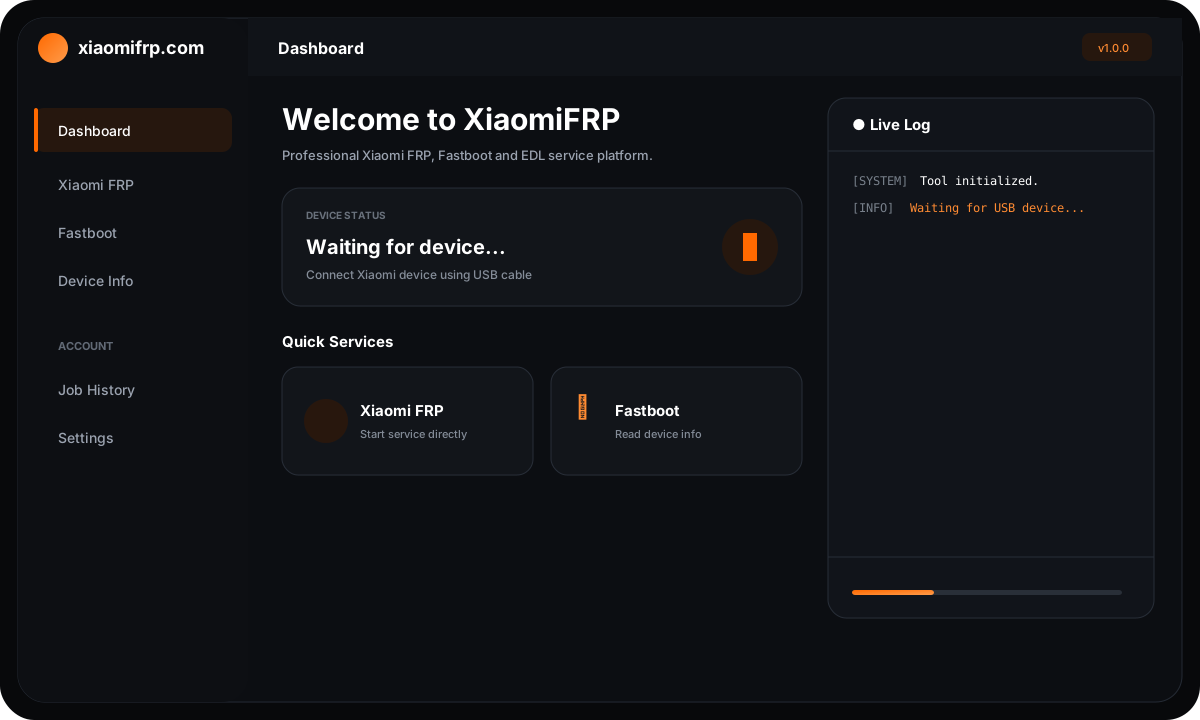
XiaomiFRP Tool combines Mi Assistant mode FRP removal, Fastboot device inspection, automatic chipset and codename detection, transparent credit display, and real-time operation logs in one streamlined Windows interface.

XiaomiFRP Windows Tool interface showing Mi Assistant FRP removal and Fastboot device logs
Supported Series

FRP Service Solutions by Xiaomi Sub-Brand

Flagship & T-Series

Xiaomi FRP Removal

Authorized Mi Assistant and Fastboot FRP service for Xiaomi 12, 13, 14, and Xiaomi 15 series devices running MIUI and HyperOS firmware.

Xiaomi FRP models →
Performance Series

POCO FRP Removal

Instant Google account lock removal for POCO F, X, M, and C series smartphones powered by Qualcomm Snapdragon and MediaTek Dimensity processors.

POCO FRP models →
Redmi & Note Series

Redmi FRP Removal

Check compatibility and bypass FRP on Redmi and Redmi Note 11, 12, 13, and Note 14 series using Web FRP or the Windows desktop tool.

Redmi FRP models →
Technical FAQ

Frequently Asked Questions About Xiaomi FRP

How does Xiaomi FRP removal work in Mi Assistant mode?

Boot your locked Xiaomi, Redmi, or POCO phone into Recovery 5.0 mode and choose Connect with MiAssistant (Sideload mode). Connect via USB to our WebUSB workspace or Windows Tool to read device info and clear the FRP lock.

Does XiaomiFRP support HyperOS and Android 14 / 15?

Yes. Our server supports both MIUI (MIUI 12, 13, 14) and Xiaomi HyperOS / HyperOS 2.0 security patches across Android 12, 13, 14, and Android 15 on supported Qualcomm and MediaTek devices.

What is the difference between Web FRP and the Windows Tool?

Web FRP runs directly inside Chrome or Edge via WebUSB with no software installation. The Windows Tool is a standalone desktop app offering automated USB detection, Fastboot tools, and detailed job logs.

How do I check device compatibility and credit pricing?

Open the Supported Devices page or connect your phone in Sideload/Fastboot mode. The tool identifies your exact model codename and shows live server availability and credit cost before starting.